


Author: Abhishek Singh | SEO & CRO Consultant | 6+ Years of Experience
A website migration should be treated as an SEO project as much as a development project. The safest approach is to back up the existing website, crawl and benchmark it, map old URLs to new destinations, prepare 301 redirects, test the new site in a protected staging environment, plan the launch, and monitor Google Search Console and organic performance afterward.
Google's current site-move guidance recommends preparing and thoroughly testing the new site, creating URL mappings, using permanent redirects, monitoring traffic on both old and new URLs, and expecting temporary ranking fluctuations while Google recrawls and reindexes the site.
Key Takeaways
-
Back up the current website before making migration changes.
-
Crawl the old website and record its SEO baseline.
-
Map important old URLs to their final new URLs.
-
Use direct 301 redirects for permanently moved pages.
-
Protect staging with authentication or access restrictions, not just a robots.txt block.
-
Test redirects, canonicals, internal links, indexing, forms, and analytics before launch.
-
Schedule the migration during a lower-traffic period and assign an on-call team.
-
For large websites, consider migrating one section first and use the results to refine the wider rollout.
-
Monitor Search Console, analytics, rankings, crawl errors, and conversions after launch.
-
In 2026, review robots.txt and access rules for important AI and search crawlers as part of migration QA.
What Is Website Migration in SEO?
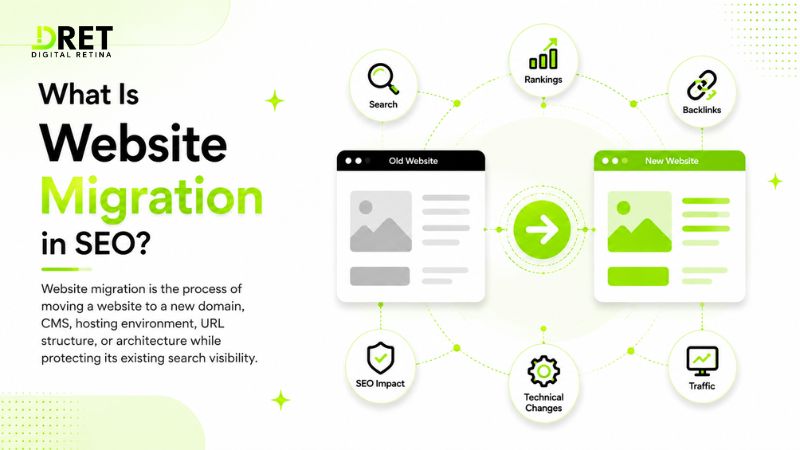
Website migration is the process of moving a website to a new domain, CMS, hosting environment, URL structure, or architecture while protecting its existing search visibility.
A migration may involve a domain change, platform migration, redesign, URL restructuring, HTTPS change, hosting move, or several of these together.
The SEO risk depends on what changes. Google recommends changing one major element at a time where practical because combining a domain move, CMS change, redesign, content rewrite, and URL restructuring makes ranking changes harder to diagnose.
SEO Website Migration Checklist
1. Back Up the Website Before Migration
Create a complete backup of the website, database, files, media, configuration, and important SEO settings before making changes.
Keep a restorable copy of the current website and, where possible, preserve the old server environment until the migration has stabilized.
Why it matters: A rollback plan gives the development team a recovery option if the new website experiences serious technical or business-critical problems.
2. Crawl and Benchmark the Existing Website
Crawl the current website and record its important SEO and performance data before migration.
Tools such as Screaming Frog, Ahrefs, Semrush, or Lumar can help identify URLs, status codes, metadata, canonicals, internal links, redirects, and other technical issues. Record organic traffic, rankings, conversions, backlinks, and top landing pages as your baseline.
Google also recommends using Search Console, analytics, server logs, and sitemap data to identify important URLs and monitor the move.
Why it matters: Without a baseline, you cannot reliably determine what changed after migration.
3. Protect and Test the Staging Website
Keep the staging website inaccessible to the public and search engines while it is being developed.
Use password authentication, IP allowlisting, VPN access, or another access-control method. You can also use noindex controls during development, but prepare to remove them when the new site goes live. Google specifically recommends preparing the production robots.txt and removing development-only noindex rules when the move starts.
Why it matters: A protected staging environment allows developers, SEO specialists, content teams, and QA to test the migration without creating duplicate or premature indexation problems.
4. Decide Whether to Migrate All at Once or in Sections
Choose the migration method during the planning stage, based on the size and complexity of the website, rather than waiting until launch day.
For small and medium-sized websites, Google recommends moving the URLs simultaneously in many cases. For large websites, moving one section first can make it easier to identify and fix problems before completing the wider migration.
If you choose a test section, select an area that is relatively stable and not heavily affected by seasonal or unpredictable traffic.
Why it matters: A phased migration can reduce the blast radius of technical problems on large websites, while a single move may be simpler for smaller sites.
5. Map Old URLs to New URLs
Create a URL mapping sheet that connects every important old URL with its final new destination.
|
Old URL |
New URL |
Action |
|
/old-service/ |
/services/new-service/ |
301 |
|
/old-blog/ |
/blog/new-topic/ |
301 |
|
/removed-page/ |
No relevant replacement |
404/410 |
Prioritize pages receiving organic traffic, backlinks, leads, sales, or significant internal links.
Also include important images, videos, PDFs, JavaScript, and CSS resources where their URLs are changing. Google specifically advises including these assets in migration planning because they can already receive traffic or links.
Why it matters: URL mapping is the foundation of website migration SEO because it tells the team exactly where valuable pages and resources should go.
6. Implement 301 Redirects During Migration
Use direct server-side 301 redirects from old URLs to their most relevant final destinations.
Avoid:
Old URL → Redirect 1 → Redirect 2 → New URL
Use:
Old URL → New URL
Google recommends server-side permanent redirects such as 301 or 308 where technically possible and advises keeping redirect chains short, ideally avoiding them altogether.
Why it matters: A clean redirect structure helps users and search engines reach the correct page without unnecessary hops.
7. Preserve SEO Elements and Internal Links
Carry important content and SEO signals from the old pages to their corresponding new pages.
Check title tags, headings, content, canonical tags, structured data, image attributes, breadcrumbs, hreflang, and internal links. Update internal links so they point directly to the new URLs rather than relying on redirects.
Google recommends that new pages use the new URLs in canonical annotations, hreflang annotations where applicable, internal links, and sitemaps.
Why it matters: A migration should not accidentally remove the content and relationships that helped important pages perform.
8. Complete Pre-Launch QA
Crawl the staging website and test the migration before launch.
Check:
-
301 redirects
-
404 and 5xx responses
-
Canonical tags
-
Robots.txt
-
Noindex directives
-
XML sitemap
-
Internal links
-
Structured data
-
Forms and tracking
-
Mobile usability
-
Page speed
-
Analytics
-
Important images and PDFs
Test individual redirects with Google's URL Inspection Tool and use a crawler or scripts to test larger URL sets. Google specifically recommends testing redirects before considering the move complete.
Why it matters: Fixing technical problems before launch is safer than discovering them after organic traffic has already been affected.
Launch Day Logistics
Launch the migration during a predictable lower-traffic period with the SEO, development, analytics, and QA teams available to respond quickly.
Before launch, confirm the final backup, redirect configuration, DNS access, sitemap, analytics configuration, Search Console verification, rollback procedure, and team responsibilities.
If the migration involves hosting or DNS changes, plan for DNS caching and propagation. Google recommends lowering DNS TTL ahead of a hosting move where appropriate and monitoring both old and new infrastructure during the transition. It also notes that the new site may receive heavier crawling after a migration, so server capacity should be sufficient.
Assign clear ownership:
-
SEO: URL mapping, redirects, canonicals, sitemap, Search Console
-
Development: deployment, DNS, server configuration, redirects
-
Content: page content, metadata, internal links
-
QA: functional and technical testing
-
Analytics: tracking, conversions, reporting
-
Project lead: launch coordination and rollback decision
For domain migrations, verify both the old and new properties in Search Console before launch. Google recommends verifying all relevant variants, including www/non-www and HTTP/HTTPS variants where applicable.
How to Monitor Google Rankings After Website Migration
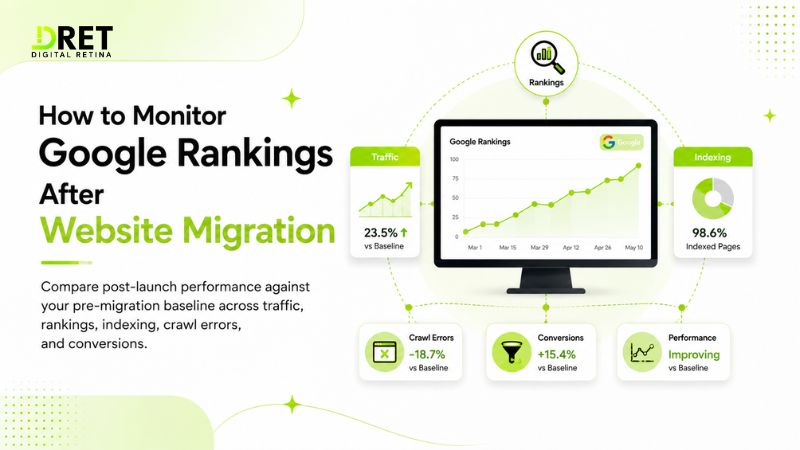
Compare post-launch performance against your pre-migration baseline across traffic, rankings, indexing, crawl errors, and conversions.
Use Google Search Console to monitor indexing, sitemap processing, search performance, and URL issues. Use Google Analytics or your analytics platform to compare organic traffic and conversions.
Google says medium-sized sites can take a few weeks or more for new URLs to replace old URLs in search, while larger sites can take longer. Temporary fluctuations are therefore expected.
Monitor:
-
Organic clicks
-
Impressions
-
Keyword visibility
-
Indexed pages
-
Landing-page traffic
-
404 errors
-
Redirect errors
-
Crawl activity
-
Organic conversions
-
Revenue
Google recommends monitoring both old and new URLs. Ideally, traffic to the old URLs decreases while traffic to the new URLs increases as the move is processed.
If performance drops sharply, investigate:
-
Missing redirects
-
Incorrect redirect destinations
-
Noindex directives
-
Robots.txt blocks
-
Canonical errors
-
Missing content
-
Broken internal links
-
Server errors
-
Sitemap problems
2026 SEO Migration Considerations
In 2026, migration QA should include the access rules for important search and AI-related crawlers, while keeping the primary focus on crawlability, indexing, content, and technical SEO.**
This does not mean creating separate AI versions of your website. Instead, review your production robots.txt, WAF rules, CDN settings, and server logs to confirm that intended crawlers can access the content you want them to process.
Three crawler controls worth checking during a migration are:
-
GPTBot: OpenAI's crawler for collecting publicly accessible web content according to its published crawler controls.
-
Google-Extended: Google's robots.txt product token that publishers can use to control whether content crawled by Google can be used for training future Gemini models and certain grounding uses. Google states that Google-Extended does not affect inclusion or ranking in Google Search.
-
PerplexityBot: Perplexity's crawler used to surface and link websites in Perplexity search. Perplexity states that it respects robots.txt directives.
During migration, compare the old and new robots.txt files rather than assuming the new file is correct. Also check whether a WAF or CDN is blocking intended crawlers after the infrastructure changes.
The practical 2026 rule is simple: do not accidentally change crawler access while changing your website. A migration that makes important content inaccessible can affect more than traditional organic discovery.
Common Website Migration Mistakes
The most damaging migration mistakes are usually preventable technical oversights rather than the migration itself.
Avoid:
-
Launching without a current backup
-
Redirecting every old page to the homepage
-
Leaving staging noindex rules active
-
Blocking important URLs in robots.txt
-
Forgetting PDFs, images, or downloadable assets
-
Leaving internal links pointing to old URLs
-
Changing the domain, content, CMS, and architecture unnecessarily at once
-
Failing to test DNS and server capacity
-
Removing redirects immediately after launch
-
Failing to monitor Search Console and server logs
Google specifically warns against irrelevant redirects and recommends keeping important redirects for as long as possible, generally at least one year for site moves.
Final Website Migration Checklist
Complete this checklist before declaring the migration finished.
-
Back up the old website and database.
-
Crawl the existing website.
-
Record traffic, rankings, conversions, and backlinks.
-
Identify high-value URLs and assets.
-
Choose a full or phased migration approach.
-
Protect the staging environment.
-
Complete the old-to-new URL mapping.
-
Configure direct 301 redirects.
-
Preserve important content and metadata.
-
Update internal links and canonicals.
-
Check robots.txt and noindex rules.
-
Test XML sitemap and structured data.
-
Test forms, analytics, and conversions.
-
Verify old and new Search Console properties.
-
Check DNS, hosting, CDN, and server capacity.
-
Review AI crawler access and WAF rules where relevant.
-
Assign SEO, development, QA, analytics, and launch owners.
-
Launch during a suitable lower-traffic period.
-
Test priority URLs immediately after launch.
-
Submit the new sitemap.
-
Use Change of Address for eligible domain moves.
-
Monitor rankings, indexing, traffic, errors, and conversions.
-
Keep redirects active and update important external links.
For a domain move, Google's Change of Address tool is intended for moving from one domain or subdomain to another. It is not required for HTTP-to-HTTPS changes, same-domain URL path changes, or hosting changes where the visible URLs remain the same.
Frequently Asked Questions
How long does SEO recovery take after a website migration?
There is no fixed recovery period. Google says medium-sized sites can take a few weeks or more for new URLs to replace old URLs in its index, with larger sites potentially taking longer.
Do 301 redirects preserve SEO value?
Yes. Google states that permanent redirects such as 301s do not cause a loss of PageRank. The bigger risk is using incorrect destinations, creating unnecessary redirect chains, or removing redirects too soon.
Can I migrate a website without losing SEO?
You can significantly reduce the risk of SEO losses, but no migration guarantees completely unchanged rankings. Accurate URL mapping, relevant 301 redirects, preserved content, testing, and monitoring provide the strongest protection.
Should a large website migrate all at once?
Not always. Google recommends that large sites can move sections incrementally when technically practical, allowing the team to identify and fix problems before expanding the migration.
When should old redirects be removed?
Keep important redirects active for as long as possible. Google generally recommends at least one year for site moves so its systems have time to recrawl old URLs and process signals pointing to the new locations.
Final Thoughts
A successful website migration is ultimately about protecting the search value that the existing website has already built while creating a technically stronger destination.
The process should move in clear phases: backup and benchmark, prepare and map, redirect and test, launch and monitor. This makes migration responsibilities easier to assign and gives the team a clear rollback and troubleshooting path.
For 2026, strong website migration best practices remain grounded in fundamentals: accurate URL mapping, clean redirects, accessible content, reliable analytics, strong technical SEO, and disciplined post-launch monitoring. The additional consideration is ensuring that infrastructure and robots.txt changes do not unintentionally alter access for important search and AI-related crawlers.
Author Bio: Abhishek Singh is an SEO & CRO Consultant with 6+ years of experience working across organic search, technical SEO, conversion optimization, and website growth. His approach focuses on connecting technical SEO changes with measurable traffic, lead, and conversion outcomes rather than treating rankings as the only success metric.
Google Search Central: Site Moves and Migrations ·
Google Search Central: 301 Redirects ·
Google Search Console: Change of Address
Ready to Implement These Strategies?
Our team of digital marketing experts can help you navigate these trends and create a winning strategy.