
Author: Abhishek Singh | SEO & CRO Consultant | 6+ Years of Experience
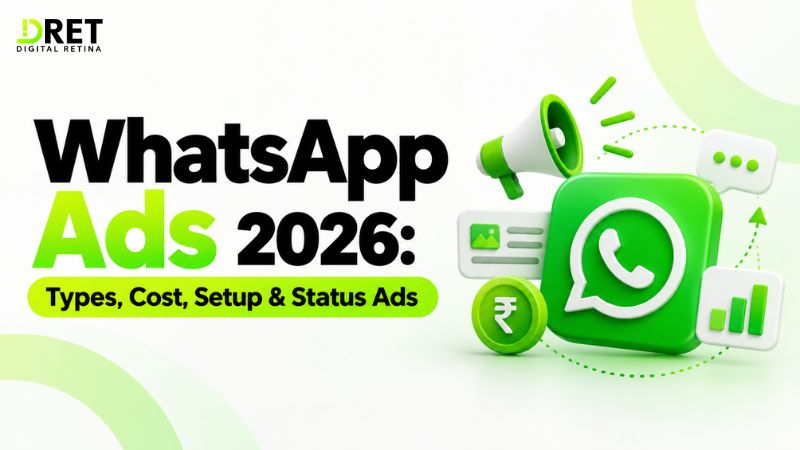
If your business wants to turn social media interest into direct conversations, WhatsApp ads can help people start a WhatsApp chat directly from an ad. In 2026, businesses can use Ads that click to WhatsApp across Facebook and Instagram, while WhatsApp Status ads are also part of Meta's advertising plans.
The important distinction is that the ad itself and WhatsApp Business messaging costs are separate. Your advertising spend is managed through Meta Ads Manager, while businesses using the WhatsApp Business Platform may also pay messaging charges depending on the message category and customer interaction.
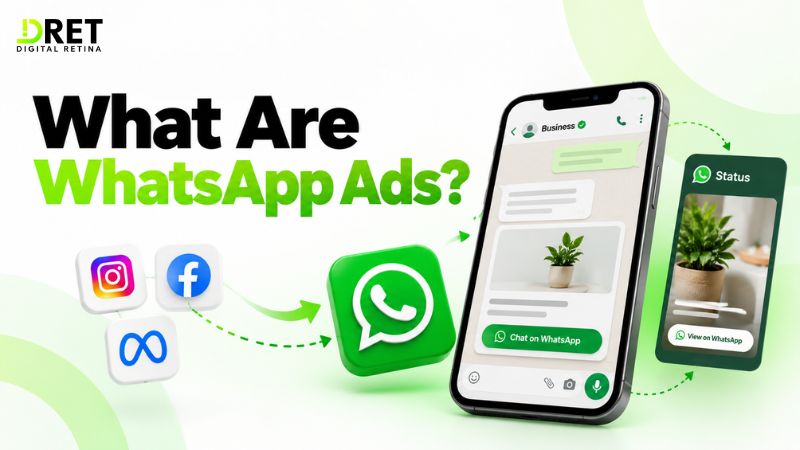
What Are WhatsApp Ads?
WhatsApp ads are paid Meta advertising campaigns designed to start conversations on WhatsApp or reach users through WhatsApp placements such as Status.
The main options are:
|
WhatsApp advertising option |
Where it appears |
Main destination |
Availability |
|
Ads that click to WhatsApp |
Facebook and Instagram |
WhatsApp chat |
Established |
|
WhatsApp Status ads |
WhatsApp Status |
WhatsApp chat or website |
Check availability in Ads Manager |
|
Promoted Channels |
WhatsApp Channels directory |
Business Channel |
Coming soon per Meta, checked 28 September 2026 |
There is no fixed WhatsApp ads price. Your advertising cost depends on factors such as audience, campaign objective, competition, budget, placements and performance. WhatsApp Business Platform messaging charges are separate and depend on Meta's current pricing rules.
The most established format is an Ad that clicks to WhatsApp. A person sees an ad on Facebook or Instagram, clicks the call-to-action button and starts a conversation with the business on WhatsApp.
This makes the format useful for businesses where customers need to ask questions before taking action.
For example, a real-estate company can promote a property and use a WhatsApp call-to-action such as "Send Message". The customer can then ask about price, location, availability or a site visit.
What Types of WhatsApp Ads Can Businesses Run?
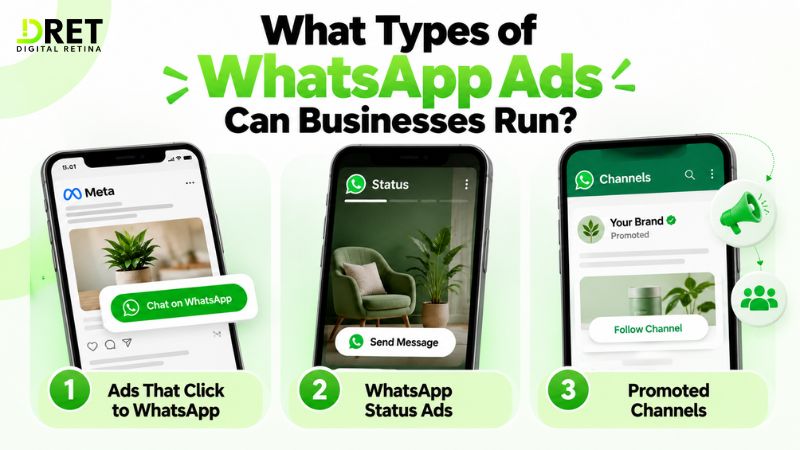
Businesses can use Ads that click to WhatsApp and, where available, WhatsApp Status ads to create customer journeys around WhatsApp conversations.
1. Ads That Click to WhatsApp
These ads appear across Facebook and Instagram, including News Feed, Stories and Marketplace.
When someone clicks the ad's call-to-action, they can start a conversation with the business on WhatsApp.
They are useful for:
-
Lead generation
-
Product enquiries
-
Appointment requests
-
Real-estate enquiries
-
Service bookings
-
Customer questions
-
Sales conversations
2. WhatsApp Status Ads
WhatsApp Status ads appear between organic Status updates.
Depending on availability and the campaign setup, the destination can be a WhatsApp chat or a website.
Status advertising availability can vary by account and market, so businesses should confirm the option directly in Ads Manager before planning a campaign around it.
3. Promoted Channels
Meta has also announced promoted channels as part of its WhatsApp advertising plans.
As of 28 September 2026, Meta's Ads in Status and Channels information marks promoted channels as coming soon. Businesses should check Meta's current product availability before relying on this format.
WhatsApp Business App vs Business Platform vs Ads Manager
The WhatsApp Business App manages conversations, the WhatsApp Business Platform supports more advanced messaging and integrations, and Ads Manager is where businesses create and manage paid advertising campaigns.
|
Tool |
Main purpose |
|
WhatsApp Business App |
Manage customer conversations and basic business messaging |
|
WhatsApp Business Platform |
Advanced messaging, automation and integrations |
|
Meta Ads Manager |
Create, manage and measure advertising campaigns |
These tools can work together.
For example, a business can create a Click-to-WhatsApp campaign in Ads Manager and use WhatsApp to handle the resulting customer conversations.
Businesses can use the WhatsApp Business Platform when they need more advanced messaging capabilities, automation or integrations with other systems.
How Do You Run Ads That Click to WhatsApp?
Create the campaign in Ads Manager, choose Messaging Apps under Conversions, then select WhatsApp as the messaging destination.
A basic setup looks like this:
-
Open Meta Ads Manager and select Create.
-
Choose the appropriate campaign objective.
-
Under Conversions, select Messaging Apps.
-
Select WhatsApp as the messaging app.
-
Set your budget, schedule and audience.
-
Choose placements and upload your creative.
-
Add your primary text, headline and call-to-action.
-
Configure the initial WhatsApp response or conversation starter.
-
Review the campaign and publish it.
Meta recommends giving campaigns enough time to optimize rather than making frequent changes immediately after launch.
For audience targeting, Meta's current guidance also indicates that broader audiences can help delivery when the campaign setup allows it.
What should the first WhatsApp message say?
Keep the first message easy to answer.
For example:
Hi, I'm interested in the 2BHK apartment. Please share the price and location.
For lead generation, you can also use predefined conversation starters such as:
-
"I want the price"
-
"Is this product available?"
-
"Book a consultation"
-
"Schedule a site visit"
The goal is to reduce friction between the ad click and the first meaningful conversation.
How Do You Run Ads on WhatsApp Status?
Create the campaign in Ads Manager and select WhatsApp Status as a placement if it appears in your account.
A practical setup process is:
-
Open Meta Ads Manager and create a new campaign.
-
Select the campaign objective and conversion setup appropriate to your goal.
-
Choose WhatsApp as the messaging destination where applicable.
-
Review Placements and select WhatsApp Status if it is available.
-
Upload a vertical creative designed for the Status environment.
-
Review the preview, budget, audience and destination before publishing.
What creative size should you use?
For a practical starting point, use a 9:16 vertical creative at 1080 × 1920 pixels.
This is a practitioner starting point, not a statement of an official mandatory Meta Status specification. Always check the current Ads Manager requirements and preview before publishing.
A simple Status ad should communicate the offer quickly because users are moving through Status content.
Example: WhatsApp Ads for a Real-Estate Business
A real-estate business can use a WhatsApp ad to move a potential buyer from property discovery to qualification and a site visit.
For example:
Ad:
"2BHK homes near Sector 137, Noida. Starting from ₹XX lakh. Enquire on WhatsApp."
CTA:
"Send Message"
First WhatsApp message:
"Hi, I want details about the 2BHK property."
The sales team can then ask three simple questions:
-
What is your preferred budget?
-
Are you looking for self-use or investment?
-
When would you like to visit the property?
This creates a basic lead qualification process without forcing the customer to complete a long form before starting a conversation.
How Much Do WhatsApp Ads Cost?
There is no fixed WhatsApp ads price because advertising costs are determined through Meta's advertising system and vary by campaign, audience, competition, objective, placements and performance.
Your total cost can involve two separate components:
|
Cost area |
What you pay for |
|
Meta advertising |
Ad delivery through Meta's advertising system |
|
WhatsApp Business Platform messaging |
Applicable business messaging charges under Meta's current pricing model |
Do not confuse WhatsApp ad cost with WhatsApp Business Platform messaging fees.
For example, you might spend money running an ad that generates WhatsApp conversations, while the subsequent business messaging may be subject to Meta's separate messaging pricing rules.
How does WhatsApp Business Platform pricing work?
Meta's Business Platform pricing is based on delivered messages and message categories such as:
-
Marketing
-
Utility
-
Authentication
-
Service
Service messages are free under Meta's current pricing structure. Utility messages sent in response to users can also be free under applicable conditions.
If a customer messages a business from a Click-to-WhatsApp Ad or a Facebook Page call-to-action, Meta provides a three-day customer service window during which business messages are not charged.
Businesses should always check the current pricing page because pricing rules and market-specific charges can change.
How Does WhatsApp Lead Generation Work?
WhatsApp lead generation reduces the steps between seeing an advertisement and starting a conversation with a business.
A typical journey looks like:
Ad impression → Ad click → WhatsApp conversation → Qualification → Sales action
The qualification stage can include:
-
Budget
-
Location
-
Product interest
-
Appointment requirement
-
Preferred date
-
Service requirement
This can make WhatsApp useful for businesses where customers want answers before buying.
However, a WhatsApp conversation is not automatically a qualified lead. Businesses should define what counts as a meaningful lead before evaluating campaign performance.
How Should You Track WhatsApp Ads?
Track qualified leads and sales, not just conversations or clicks.
Useful metrics include:
|
Metric |
What it tells you |
|
Impressions |
How often the ad was shown |
|
Clicks |
How many people interacted with the ad |
|
Cost per click |
Average cost of generating a click |
|
WhatsApp conversations |
Number of initiated conversations |
|
Qualified leads |
Conversations that meet your lead criteria |
|
Appointments |
Leads that move to a scheduled action |
|
Sales |
Leads that generate revenue |
|
Cost per qualified lead |
Efficiency of lead generation |
|
Return on ad spend |
Revenue generated relative to advertising spend |
For better attribution, businesses can use tools such as the Meta Pixel, Conversions API and offline conversion data, depending on their setup.
The most important measurement is the connection between advertising activity and business outcomes.
What Does Conversions API Do?
Conversions API helps businesses send conversion and customer-event data from their server, CRM or other systems to Meta for measurement and optimization.
Instead of relying only on browser-based tracking, a business can send events such as:
-
Qualified lead
-
Appointment booked
-
Purchase
-
Sales opportunity
-
Offline conversion
For example, if a WhatsApp conversation produces a qualified lead and that lead later becomes a customer in your CRM, the relevant conversion event can potentially be shared with Meta through an appropriate Conversions API setup.
Implementation commonly requires a developer, CRM integration or supported partner tool, depending on the business's technology stack.
What Are the Best Practices for WhatsApp Ads?
Start with one goal, make the first message easy, respond fast and measure business outcomes.
1. Use one clear objective
Do not try to generate sales, support requests and general awareness from the same campaign without a clear measurement plan.
2. Make the offer obvious
Tell users what they will get after starting the conversation.
For example:
-
Get a price quote
-
Book a consultation
-
Check availability
-
Schedule a demo
3. Keep the first message simple
Avoid asking customers to provide too much information immediately.
4. Respond quickly
A delayed response can reduce the value of a high-intent conversation.
5. Qualify conversations
Define the information your sales team needs to determine whether a conversation is a real opportunity.
6. Measure downstream results
Connect WhatsApp conversations to leads, appointments and sales whenever possible.
7. Review placements
For Status campaigns, availability and placement options can vary. Check the actual options shown in your Ads Manager account before publishing.
What Mistakes Should Businesses Avoid?
The most common mistakes are treating every chat as a qualified lead and measuring only clicks.
1. Treating every conversation as a lead
A conversation can be a question, complaint, accidental click or genuine sales opportunity.
2. Using complicated opening messages
The first interaction should be easy for the customer.
3. Ignoring response time
A campaign can generate conversations without generating results if customers do not receive timely responses.
4. Measuring only CPC
A low cost per click does not necessarily mean the campaign is generating valuable customers.
5. Making unsupported cost assumptions
There is no universal WhatsApp ads CPC or fixed campaign price.
6. Ignoring messaging costs
Businesses using the WhatsApp Business Platform should account for applicable messaging charges separately from ad spend.
7. Assuming every WhatsApp placement is available
Status advertising and other WhatsApp advertising features may depend on availability in Ads Manager and the relevant market.
What Are the Privacy and Compliance Rules?
Businesses should obtain customer opt-in, follow the WhatsApp Business Messaging Policy, respect opt-outs and check restrictions that apply to their business category.
WhatsApp's Business Messaging Policy includes restrictions for several categories.
These include:
-
Alcohol and tobacco
-
Drugs, whether prescription, recreational or otherwise
-
Medical and healthcare products (limited exceptions apply)
-
Real-money gambling and gaming
-
Adult products and services
-
Dating services
-
Firearms
-
Multi-level marketing
-
Payday loans
-
Peer-to-peer lending
-
Debt collection
-
Real, virtual, or fake currency, including ICOs and binary options
Some regulated verticals may be permitted only through the WhatsApp Business Platform and in specific countries.
For example, Meta's current policy lists India for certain over-the-counter drug messaging activities. India is not on the current allowed-country lists for alcohol or online gambling and gaming. Businesses should check the current country lists and policy before launching campaigns in regulated categories.
Healthcare businesses should also review the policy carefully because WhatsApp places restrictions around certain healthcare, telemedicine and health-information activities where applicable regulations prohibit them.
What about automation?
Automation can be used within the applicable 24-hour customer service window, but businesses need a clear and easy path for customers to reach a human agent or another appropriate support channel such as phone, email, website or form.
Businesses must also obtain the required user opt-in before contacting people and respect requests to opt out.
WhatsApp Ads Examples
WhatsApp ads can support different customer journeys depending on the business objective.
Real estate
Ad:
"Book a site visit for our new residential project."
WhatsApp action:
Customer starts a chat and selects a preferred visit time.
Healthcare
Ad:
"Request information about available appointments."
WhatsApp action:
Customer starts a conversation and receives appropriate booking information, subject to applicable policy and healthcare requirements.
Education
Ad:
"Get course details and admission information."
WhatsApp action:
Student or parent starts a conversation and requests the course brochure.
Local services
Ad:
"Need a home cleaning service? Get a quote on WhatsApp."
WhatsApp action:
Customer provides location, service requirement and preferred date.
The best format depends on what the customer needs to do after clicking the ad.
Is WhatsApp Advertising Right for Your Business?
WhatsApp advertising can be useful when customers need a conversation before taking action.
It can make sense for businesses where customers commonly ask questions about:
-
Price
-
Availability
-
Location
-
Product specifications
-
Appointments
-
Service requirements
-
Custom quotes
It may be less suitable when the customer journey is already simple and can be completed directly through a website checkout or landing page.
Before launching, define the business outcome you want from the conversation.
For example:
Ad → WhatsApp conversation → Qualified lead → Appointment → Sale
That gives you a clearer framework for measuring whether the campaign is working.
Final Thoughts
WhatsApp ads give businesses a direct path from advertising to customer conversation, but successful campaigns depend on more than generating chats.
Businesses should separate advertising costs from WhatsApp Business Platform messaging charges, use clear campaign objectives, qualify conversations and track downstream outcomes.
For Status advertising and other newer WhatsApp placements, always confirm availability directly in Ads Manager before building a campaign around them.
Privacy, opt-in requirements and category restrictions also need to be checked before launch, particularly for regulated industries.
FAQs
How do I run WhatsApp ads?
Create a campaign in Meta Ads Manager, choose the appropriate objective and conversion setup, select WhatsApp as the messaging destination where applicable, define your audience, add your creative and publish the campaign.
How much do WhatsApp ads cost?
There is no fixed WhatsApp ads price. Your advertising cost depends on factors such as audience, competition, campaign objective, placements, budget and performance.
WhatsApp Business Platform messaging charges are separate and depend on Meta's current pricing rules.
Do I need the WhatsApp Business API to run WhatsApp ads?
No, you do not necessarily need the WhatsApp Business Platform to create every type of WhatsApp advertising campaign.
Ads that click to WhatsApp can send customers into WhatsApp conversations. The WhatsApp Business App can handle basic business conversations, while the Business Platform is useful when you need advanced messaging, automation or integrations.
Are WhatsApp Status ads available in India?
Availability should be checked directly in Meta Ads Manager for your account and market.
Meta's Status advertising product can have different availability conditions, so businesses should not assume that an option is available simply because it appears in Meta's product documentation.
How much do WhatsApp ads cost in India?
There is no standard India-specific WhatsApp ads price.
Advertising costs depend on factors such as the audience, objective, competition, placements and campaign performance. WhatsApp Business Platform messaging charges are separate and should be checked using Meta's current pricing information for the relevant market.
Can WhatsApp ads generate leads?
Yes. Ads that click to WhatsApp can generate leads by moving users directly from an ad into a business conversation.
Businesses should define qualification criteria so that they can distinguish genuine leads from general enquiries.
What is the difference between Click-to-WhatsApp ads and Status ads?
Click-to-WhatsApp ads generally appear across Facebook and Instagram and send users into a WhatsApp conversation, while Status ads appear between WhatsApp Status updates.
Availability and destination options for Status advertising should be confirmed in Ads Manager.
What does the WhatsApp Business Platform do?
The WhatsApp Business Platform provides more advanced business messaging capabilities, including automation and integrations.
It is different from Meta Ads Manager, which is used to create and manage advertising campaigns.
Can businesses automate WhatsApp replies?
Yes, businesses can use automation subject to WhatsApp's applicable business messaging rules and customer-service window requirements.
Automated interactions should provide a clear path to human support or another appropriate channel when needed.
What is the 24-hour WhatsApp messaging window?
The 24-hour customer service window starts when a user messages the business and resets when the user sends another message.
Businesses should follow the current WhatsApp Business Messaging Policy for the applicable rules around messages sent within and outside this window.
How This Guide Was Verified
This guide was reviewed against current Meta and WhatsApp Business documentation on 28 September 2026.
The review covered Meta and WhatsApp documentation relating to:
-
Create Ads that Click to WhatsApp
-
Ads that Click to WhatsApp
-
Ads in Status and Channels
-
Business Platform Pricing
-
Ads Privacy
-
WhatsApp Business Messaging Policy, last updated 23 September 2026
-
WhatsApp Business Platform
-
WhatsApp Business features
What this guide could not confirm
-
Status ad availability by country or account: Check the actual placement options available in Meta Ads Manager before publishing.
-
Official Status ad creative dimensions: No mandatory public specification was identified in the reviewed documentation. The 1080 × 1920, 9:16 format in this guide is a practitioner starting point rather than a mandatory Meta specification.
-
Promoted Channels availability: Meta's Ads in Status and Channels information showed the feature as coming soon when checked on 28 September 2026.
Ready to Implement These Strategies?
Our team of digital marketing experts can help you navigate these trends and create a winning strategy.