


Author: Abhishek Singh – SEO & CRO Consultant | 6+ Years of Experience
Ranking on Google is only half the battle. If visitors land on your website but leave without exploring your services or making an enquiry, the problem is often your UX Design, not your SEO. A slow website, confusing navigation, or poor mobile experience can create friction that drives potential customers away before they take action.
Today, search engines evaluate more than keywords and backlinks. Google's ranking systems increasingly reward websites that provide a fast, helpful, and user-friendly experience through signals such as Core Web Vitals, page experience, mobile usability, and high-quality content. While UX Design isn't a direct ranking factor, it plays a critical role in how users interact with your website—and that directly influences business outcomes.
As an SEO & CRO Consultant, I've worked with businesses that improved lead generation without increasing traffic simply by fixing usability issues. In this guide, you'll learn how UX Design impacts SEO and sales, which user experience factors matter most, and the practical improvements that help websites rank better, engage visitors, and convert more customers.
What Is UX Design?
UX Design (User Experience Design) is the process of designing websites that are easy to navigate, fast, accessible, and focused on helping users achieve their goals. Good UX Design improves usability, increases engagement, and supports better SEO and conversion performance.
Many people think UX is only about creating an attractive website. In reality, it covers every interaction a visitor has with your business online—from how quickly a page loads to how easily they can find information or complete a purchase.
A strong Website UX Design combines several important elements:
-
Fast Website Loading Speed
-
Responsive web design
-
Mobile-friendly layouts
-
Clear Website Navigation
-
Logical Site Architecture
-
Effective Internal Linking
-
Accessible content
-
Strong visual hierarchy
-
Clear Call-to-Action (CTA) placement
When these elements work together, visitors can complete tasks without frustration. Instead of searching for information or struggling with forms, they can focus on engaging with your content, exploring your services, or becoming customers.
Does UX Design Affect SEO?
Yes, UX Design influences SEO, but not because Google assigns a single "UX score." Instead, good UX supports many of the quality signals Google uses to evaluate websites, including Core Web Vitals, page experience, mobile usability, and overall website performance.
Google's mission is to provide users with the most helpful search results. A website that loads quickly, is easy to navigate, and answers users' questions clearly creates a better experience than one that's slow or difficult to use.
It's important to understand the distinction between UX Design and traditional SEO. Technical SEO helps search engines crawl and index your website, while UX ensures visitors can easily consume your content after they arrive. Businesses achieve the best results when both strategies work together rather than independently.
You'll often hear claims that metrics like bounce rate or dwell time directly affect rankings. Google hasn't confirmed these as ranking factors. However, poor UX frequently causes users to leave quickly, reducing opportunities for engagement, enquiries, and conversions. In other words, UX may not directly change your rankings, but it significantly impacts the results you achieve from your SEO efforts.
Why UX Design Matters for SEO and Sales
UX Design helps visitors find information quickly, builds trust, and removes friction from the customer journey. The easier it is for users to interact with your website, the more likely they are to stay engaged, convert, and return in the future.
Many businesses invest in SEO to increase website traffic but overlook what happens after users arrive. If visitors can't easily find your services, understand your value proposition, or contact your team, rankings alone won't generate revenue.
A positive user experience benefits both search visibility and business performance because it:
-
Encourages visitors to explore more pages.
-
Reduces frustration during the buying journey.
-
Makes important information easier to find.
-
Supports stronger engagement and conversions.
-
Builds trust and credibility with potential customers.
From my experience conducting SEO and CRO audits, many websites don't have a traffic problem—they have a usability problem. Improving navigation, page layouts, loading speed, and landing page experience often delivers better business results than publishing more content alone.
UX Design, AI Overviews, and Search Experience Optimization (SXO)
Modern SEO is evolving into Search Experience Optimization (SXO), where UX Design, technical SEO, and helpful content work together to improve both search visibility and user satisfaction.
The rise of AI-powered search experiences, including Google AI Overviews, has changed how users discover information. Search engines increasingly prioritize pages that answer questions clearly, demonstrate expertise, and provide a positive experience after the click.
This means businesses should optimize for the entire search journey, not just rankings. A page that is difficult to navigate or slow to load may struggle to satisfy users, even if it contains valuable information.
To improve visibility in AI-powered search experiences:
-
Answer user questions at the beginning of each section.
-
Use descriptive headings that match search intent.
-
Organize content with short paragraphs and logical structure.
-
Implement structured data such as Article, FAQ, and Person schema.
-
Improve Core Web Vitals and overall website performance.
-
Demonstrate expertise through original insights and author credentials.
In simple terms, SEO helps users discover your content, while UX Design ensures the experience after the click is worth their time. That's why Search Experience Optimization (SXO) is becoming an important strategy for businesses that want sustainable organic growth.
How Google Evaluates User Experience
Google evaluates user experience through a combination of performance, usability, and content quality rather than a single UX ranking factor.
Several UX-related signals contribute to how Google understands the overall quality of a webpage.
Core Web Vitals
Core Web Vitals measure how users experience a webpage in real-world conditions. They currently include:
-
Largest Contentful Paint (LCP): Measures loading performance.
-
Interaction to Next Paint (INP): Measures responsiveness after user interactions.
-
Cumulative Layout Shift (CLS): Measures visual stability while the page loads.
Google includes Core Web Vitals as part of its page experience evaluation, making them an important consideration for website optimization.
Mobile-Friendly Website
Google uses mobile-first indexing, meaning it primarily evaluates the mobile version of your website for indexing and ranking. Responsive layouts, readable text, and touch-friendly navigation improve usability across all devices.
Website Performance
Website performance includes much more than loading speed. Server response time, optimized images, browser caching, efficient code, and secure hosting all contribute to a smoother browsing experience.
Helpful, People-First Content
Google's Helpful Content systems reward content that demonstrates real expertise, answers user questions clearly, and provides original value. Even the best UX cannot compensate for thin or unhelpful content.
How UX Design Improves SEO
1. Faster Website Loading Speed Improves User Satisfaction
A fast website creates a better first impression, improves page experience, and reduces the likelihood of visitors abandoning your pages before engaging with your content.
Website loading speed is one of the first things users notice. Research and industry experience consistently show that even small delays can reduce user satisfaction and conversions. While Google has stated that Core Web Vitals are just one of many ranking signals, faster websites generally provide a better experience for both users and search engines.
Improving Website Loading Speed involves optimizing images, reducing unnecessary JavaScript, enabling browser caching, using a Content Delivery Network (CDN), and choosing reliable hosting. These improvements contribute to better Page Speed Optimization, stronger website performance, and a smoother browsing experience.
For businesses, the biggest benefit isn't just improved SEO. Faster pages reduce friction during the first few seconds of a visit, giving users more opportunities to explore your content and take action.
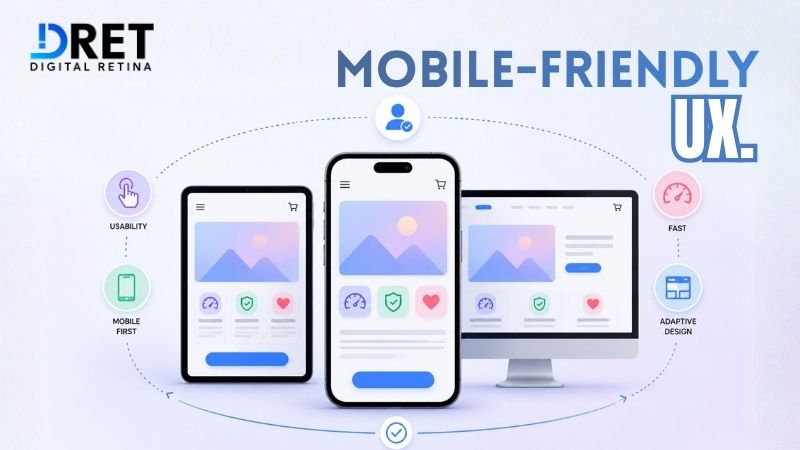
2. Mobile-Friendly UX Supports Modern Search Behavior
A mobile-friendly website improves usability, supports Google's mobile-first indexing, and helps visitors complete tasks easily on any device.
With most searches now taking place on smartphones, responsive web design is essential. Visitors expect pages to load quickly, navigation menus to work smoothly, and forms to be simple to complete without zooming or excessive scrolling.
Responsive layouts automatically adapt to different screen sizes while maintaining readability and functionality. Businesses should also optimize buttons, images, forms, and typography to create a consistent experience across devices.
One common issue I find during UX audits is that businesses optimize their homepage for mobile but overlook blog posts, service pages, and landing pages. Since these pages often generate the majority of organic traffic, every important page should provide the same high-quality mobile experience.
3. Clear Website Navigation Helps Users Find Answers Faster
Simple website navigation improves usability by helping visitors locate information quickly while making it easier for search engines to understand your site's structure.
Visitors shouldn't have to guess where important information is located. A well-organized Navigation Menu guides users naturally through your website, reducing frustration and encouraging them to explore additional pages.
Good navigation also strengthens your Site Architecture. Clear categories, descriptive menu labels, and logical Internal Linking help search engines discover and understand relationships between your pages. This improves crawlability while creating a smoother experience for users.
From a business perspective, effective navigation builds trust. When visitors can easily find service pages, pricing information, or contact details, they're more likely to continue their journey instead of returning to the search results.
4. Strategic Internal Linking Strengthens UX and SEO
Internal linking helps visitors discover relevant content while enabling search engines to understand your website's structure and topical relationships.
Many websites treat internal linking as an SEO checklist item, but its primary purpose should be guiding users through their journey. After reading a blog post or service page, visitors should naturally find the next piece of information that answers their questions or helps them make a decision.
For example, a blog about website speed can link to related resources on Core Web Vitals, Technical SEO, or a website audit service. This keeps users engaged while helping search engines understand how your content is connected.
A well-planned internal linking strategy also improves site architecture, distributes authority across important pages, and reduces orphan pages that are difficult for search engines to discover. More importantly, it creates a smoother experience by ensuring users never reach a dead end.
5. Website Accessibility Creates a Better Experience for Everyone
Website accessibility ensures your content is easy to use for all visitors, including people with disabilities, while improving overall usability and supporting better SEO.
Accessibility isn't just about meeting compliance standards—it's about making your website usable for the widest possible audience. Visitors should be able to read content, navigate menus, and interact with forms regardless of the device or assistive technology they use.
Simple improvements such as descriptive image alt text, clear heading structures, keyboard-friendly navigation, readable font sizes, and sufficient color contrast make a significant difference. These practices also help search engines better understand your content and improve the overall Digital User Experience.
An accessible website demonstrates that your business values every visitor, which builds trust and creates a more inclusive online experience.
6. Better User Engagement Supports Long-Term SEO Success
A positive user experience encourages visitors to spend more time exploring your website, increasing engagement and creating more opportunities for conversions.
Many discussions about SEO focus on bounce rate and dwell time, but it's important to separate myth from reality. Google has not confirmed these metrics as direct ranking factors. However, they remain useful indicators of how well your website meets user expectations.
If visitors consistently leave your website within a few seconds, it's often a sign that something is wrong. Slow loading pages, confusing layouts, intrusive pop-ups, or content that doesn't match search intent can all reduce engagement.
Instead of trying to improve individual metrics, focus on creating a better overall experience. Publish helpful content, simplify navigation, improve page speed, and guide visitors toward relevant resources through thoughtful internal linking. When users find value in your website, stronger engagement naturally follows.
How UX Design Impacts Sales
UX Design increases sales by removing obstacles that prevent visitors from becoming customers. A faster, easier-to-use website builds trust, improves decision-making, and encourages users to take action.
Driving organic traffic is only the first step. Once visitors arrive, your website needs to answer their questions, demonstrate credibility, and make the next step obvious. If users struggle to find pricing, contact details, or product information, they're likely to leave—even if they originally found you through Google.
Research from Forrester has estimated that every $1 invested in UX can generate up to $100 in return, although results vary depending on the business, industry, and implementation. The takeaway isn't the exact number—it's that investing in user experience can deliver measurable business value when combined with strong marketing and sales processes.
In my experience, businesses often see better results by improving the experience for existing visitors before investing more in acquiring new traffic.
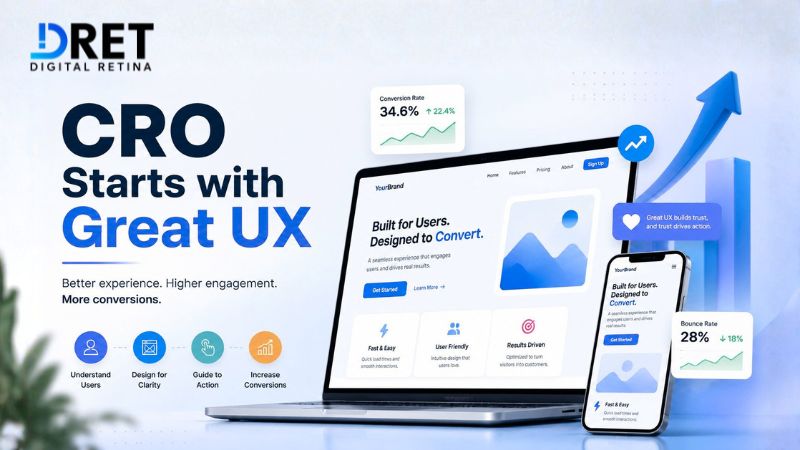
Conversion Rate Optimization (CRO) Starts with Great UX
Conversion Rate Optimization (CRO) is most effective when UX Design removes friction from the customer journey and makes it easy for visitors to take action.
Many people think CRO is simply about changing button colors or running A/B tests. In reality, successful CRO starts with understanding how users interact with your website and identifying where they encounter obstacles.
Some practical improvements include:
-
Reducing unnecessary form fields.
-
Making important information easy to find.
-
Improving page readability.
-
Adding trust signals such as testimonials, certifications, and reviews.
-
Creating a clear visual hierarchy.
-
Matching landing page content with user intent.
These changes help visitors make decisions with confidence while improving overall website usability.
Clear Calls-to-Action Improve Conversions
A well-designed Call-to-Action (CTA) tells visitors exactly what to do next and reduces uncertainty during the buying journey.
Every important page should guide users toward one primary action. Whether it's requesting a consultation, booking a demo, downloading a guide, or contacting your team, the CTA should be visible, relevant, and easy to understand.
Generic phrases like "Click Here" provide little context. Instead, use action-oriented CTAs that communicate value, such as:
-
Get a Free Website Audit
-
Book an SEO Consultation
-
Request a UX Review
-
Talk to Our Experts
The placement of your CTA also matters. Include it naturally throughout longer pages rather than relying on a single button at the very end.
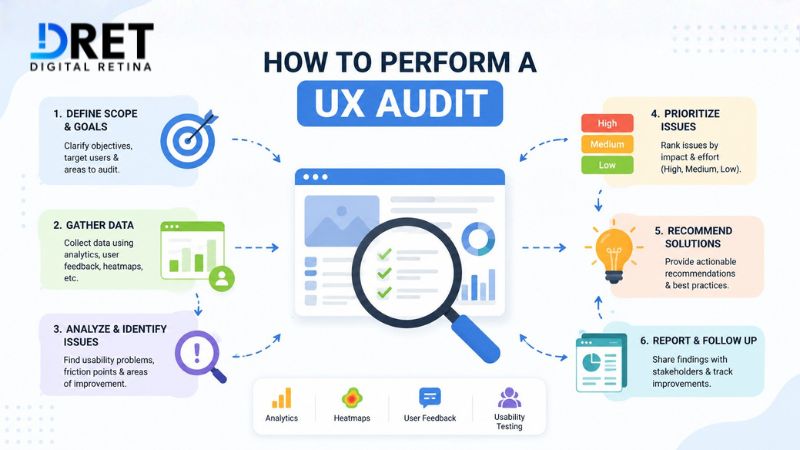
How to Perform a UX Audit
A UX audit helps identify usability issues that reduce engagement, limit conversions, and affect overall website performance.
The most effective UX improvements come from observing real user behavior rather than making assumptions. Combining analytics with usability testing helps uncover friction points that might otherwise go unnoticed.
Some valuable tools include:
|
Tool |
How It Helps |
|
Measures user engagement, conversions, and customer journeys. |
|
|
Identifies pages with declining visibility or low click-through rates. |
|
|
Evaluates Core Web Vitals and page performance. |
|
|
Audits performance, accessibility, and technical quality. |
|
|
Provides heatmap analysis and session recordings. |
Heatmap analysis shows where users click, scroll, or ignore important elements, while session recordings reveal where visitors hesitate, abandon forms, or encounter navigation issues. Together, these insights help businesses prioritize improvements based on actual behavior instead of assumptions.
Real-World Example: Why UX Matters More Than More Traffic
During a recent SEO and CRO audit, I worked with a business that had consistent organic traffic but very few enquiries. At first glance, the rankings looked healthy, yet visitors weren't converting.
After reviewing the website, we found several usability issues. The mobile version loaded slowly, the primary CTA appeared only at the bottom of the page, and the enquiry form requested more information than was necessary for an initial conversation. Heatmap analysis also showed that users were repeatedly clicking elements that weren't interactive, indicating confusion with the page layout.
Instead of focusing on acquiring more traffic, we simplified the navigation, improved page speed, reduced the number of form fields, and made the CTA more prominent. Over the following months, the website generated more qualified enquiries without a significant increase in organic traffic.
The lesson was clear: more traffic doesn't automatically lead to more sales. A better user experience often delivers a greater business impact than higher rankings alone.
Common UX Mistakes That Hurt SEO and Sales
Even websites with strong content can lose potential customers if the user experience creates unnecessary friction. Some of the most common issues I identify during UX and SEO audits include:
-
Slow website loading speed that discourages visitors.
-
Complicated navigation menus with too many options.
-
Poor mobile responsiveness on service and landing pages.
-
Weak internal linking that interrupts the user journey.
-
Cluttered page layouts with no clear visual hierarchy.
-
Forms that ask for unnecessary information.
-
Generic or poorly placed Calls-to-Action.
-
Broken links and outdated content that reduce trust.
-
Ignoring website accessibility best practices.
-
Landing pages that don't match the user's search intent.
Many of these problems can be resolved without a complete website redesign. Small, user-focused improvements often have the greatest impact because they remove barriers that prevent visitors from taking the next step.
My Experience as an SEO & CRO Consultant
The most effective SEO improvements don't always come from publishing more content or building more backlinks. In many cases, they come from improving the experience users have once they land on your website.
Over the past six years, I've worked with businesses across industries to improve their organic visibility and conversion rates. One pattern appears consistently during SEO and CRO audits: websites often have enough traffic but struggle to turn visitors into enquiries because the user experience creates unnecessary friction.
Common issues include slow-loading pages, confusing navigation, weak landing page messaging, poorly placed CTAs, and forms that ask for too much information. While these problems may seem small individually, together they create a frustrating experience that discourages users from taking the next step.
That's why I approach SEO, UX Design, and Conversion Rate Optimization (CRO) as one connected strategy. Technical SEO helps users find your website, UX helps them navigate it effortlessly, and CRO helps them complete meaningful actions. When all three work together, businesses don't just improve rankings—they generate better leads, stronger engagement, and sustainable growth.
UX Design Checklist for Better SEO and Sales
Before launching a new website or redesigning an existing one, use this checklist to identify opportunities for improvement.
Website Performance
-
✓ Pages load quickly on desktop and mobile.
-
✓ Core Web Vitals meet Google's recommended thresholds.
-
✓ Images are optimized without sacrificing quality.
-
✓ Browser caching and compression are enabled.
Navigation & User Journey
-
✓ Navigation menus are simple and easy to understand.
-
✓ Important pages are accessible within a few clicks.
-
✓ Internal links guide users to related content.
-
✓ The customer journey feels logical from entry to conversion.
Content & Accessibility
-
✓ Headings clearly describe each section.
-
✓ Content is easy to scan with short paragraphs and lists.
-
✓ Images include descriptive alt text.
-
✓ Font sizes and color contrast improve readability.
Conversion Optimization
-
✓ Every important page has one clear CTA.
-
✓ Contact forms request only essential information.
-
✓ Trust signals such as testimonials or certifications are visible.
-
✓ Landing pages match the user's search intent.
Final Thoughts
The best-performing websites don't choose between SEO and UX—they combine both to create a better experience for users and stronger business results. A fast, intuitive, and user-friendly website not only supports better search visibility but also builds trust and increases conversions.
If your website attracts traffic but isn't generating enough enquiries or sales, the problem may be your user experience rather than your SEO. At Digital Retina, we combine SEO, UX Design, and CRO to create websites that rank higher, engage visitors, and drive measurable business growth.
Frequently Asked Questions
Does UX Design directly improve Google rankings?
No. Google doesn't use a single "UX score" as a ranking factor. However, UX-related elements such as Core Web Vitals, mobile usability, page experience, and website performance contribute to a better user experience, which supports long-term SEO success.
What is the relationship between UX Design and SEO?
SEO helps users discover your website, while UX Design helps them accomplish their goals after they arrive. Combining both strategies creates a better experience for users and improves the overall effectiveness of your digital marketing efforts.
How does UX Design increase sales?
A better user experience removes obstacles during the buying journey. Faster pages, intuitive navigation, optimized landing pages, and clear CTAs help visitors make decisions more easily, increasing the likelihood of enquiries and purchases.
What tools are useful for improving website UX?
Some of the most effective tools include Google Analytics 4, Google Search Console, PageSpeed Insights, Lighthouse, Microsoft Clarity, and Hotjar. These tools provide insights into user behavior, website performance, heatmaps, and session recordings that help identify opportunities for improvement.
How often should I perform a UX audit?
A comprehensive UX audit should be conducted at least once a year or whenever you redesign your website, launch new landing pages, or notice a decline in engagement or conversions. Regular audits help ensure your website continues meeting user expectations as search behavior evolves.
Ready to Implement These Strategies?
Our team of digital marketing experts can help you navigate these trends and create a winning strategy.